
Postgres Database Performance Tuning Using Postgres MCP and Cursor By Rahmat Wibowo From Infraloka
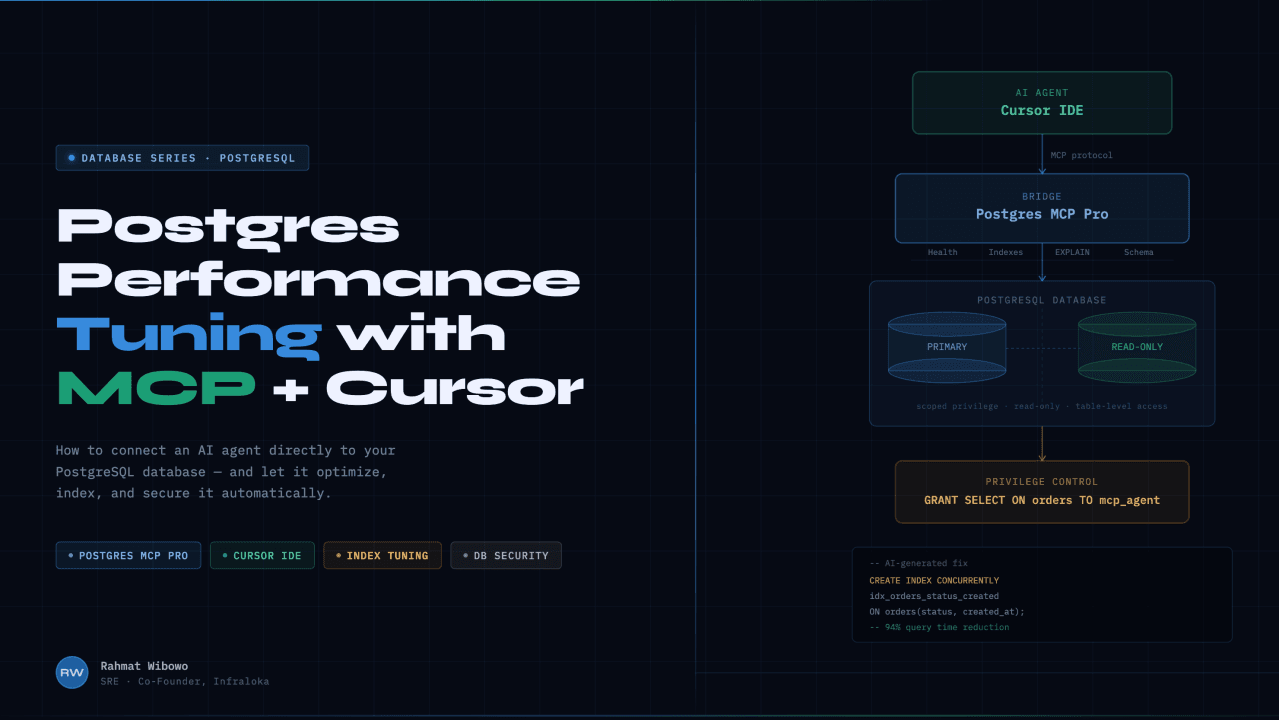
How I connected an AI agent directly to a production database and let it fix performance issues on its own. Safely.
PostgreSQL is powerful but tuning it is hard
PostgreSQL remains the most popular open-source database for production workloads. But as any DBA knows, keeping it fast is an ongoing battle. Slow queries, missing indexes, bloated vacuums these issues compound silently until something breaks.
AI can help. But how do you give an AI agent actual access to your database? That's where MCP comes in.
What is MCP?
MCP (Model Context Protocol) servers are backend services that extend AI models with structured, real-time data. Instead of operating in isolation, the model queries external resources databases, APIs, enterprise systems through a standardized protocol, grounding its answers in verified, domain-specific information.
What is Postgres MCP Pro?
Postgres MCP Pro is an open-source MCP server built specifically for PostgreSQL. It goes far beyond wrapping a database connection it gives your AI agent industrial-strength tools for tuning and analysis.
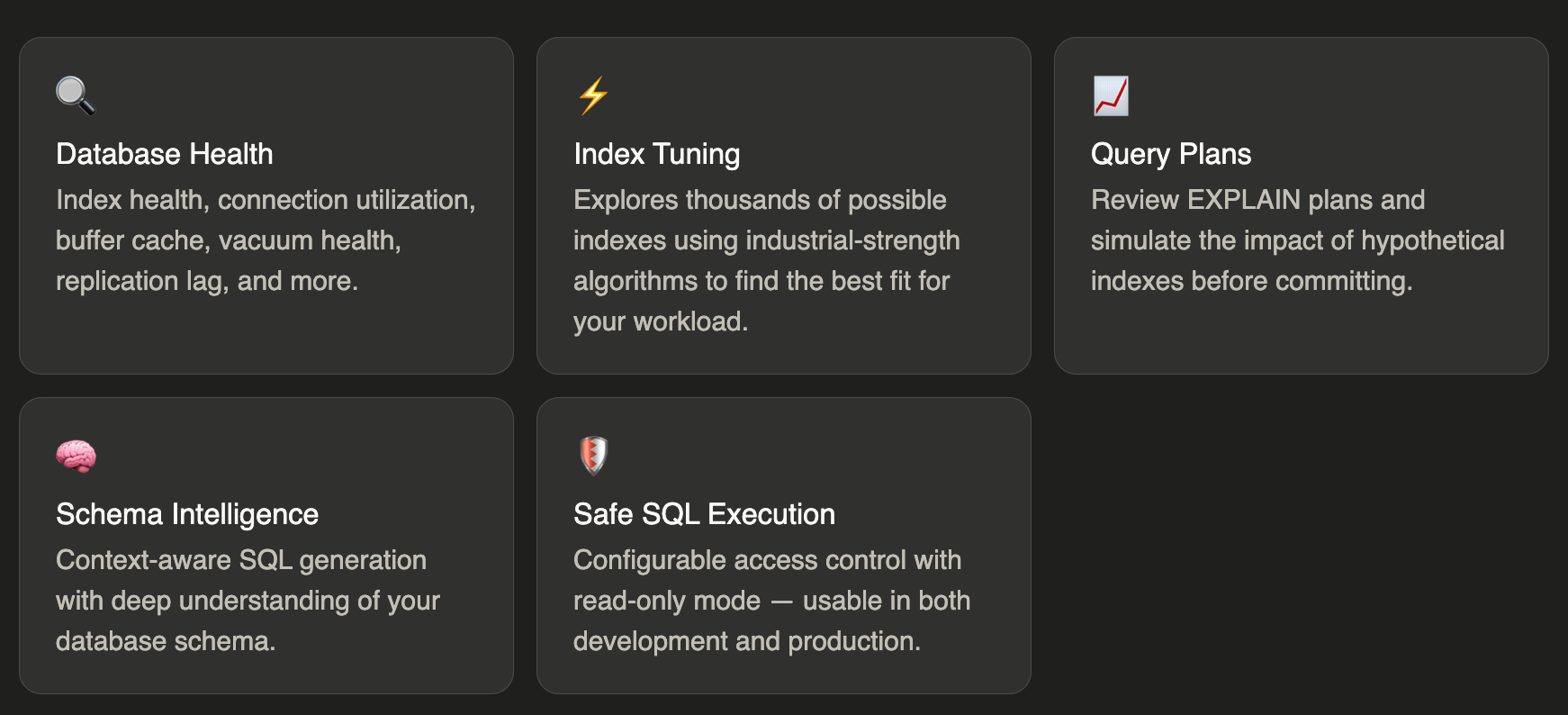
Setting it up in Cursor
- Open Cursor Settings → Tools & Integrations → Add New MCP Server
Navigate to the MCP configuration panel inside Cursor IDE.
2. Paste your MCP config JSON and update the connection URI
{
  "mcpServers": {
    "postgres": {
      "command": "docker run -i --rm -e DATABASE_URI crystaldba/postgres-mcp --access-mode=unrestricted",
      "env": {
        "DATABASE_URI": "postgresql://postgres:password@localhost:5434/helper"
      },
      "args": []
    }
  }
}
3. Cursor can now talk to your Postgres database
Your AI agent has live access to schema, query plans, and health metrics.
Example Prompt
$ My database is slow. Can you fix it?
CURSOR RESPONSE
After analyzing query plans and index usage, Cursor identified missing indexes causing full table scans. It recommended creating them concurrently to avoid locking production traffic and executed the fix automatically.
Production Safety: Before you connect AI to production lock it down
Giving an AI agent unrestricted access to your database is fine for local dev. In staging or production, you want tighter controls. PostgreSQL's privilege system lets you scope exactly what the MCP user can see and do in layers.
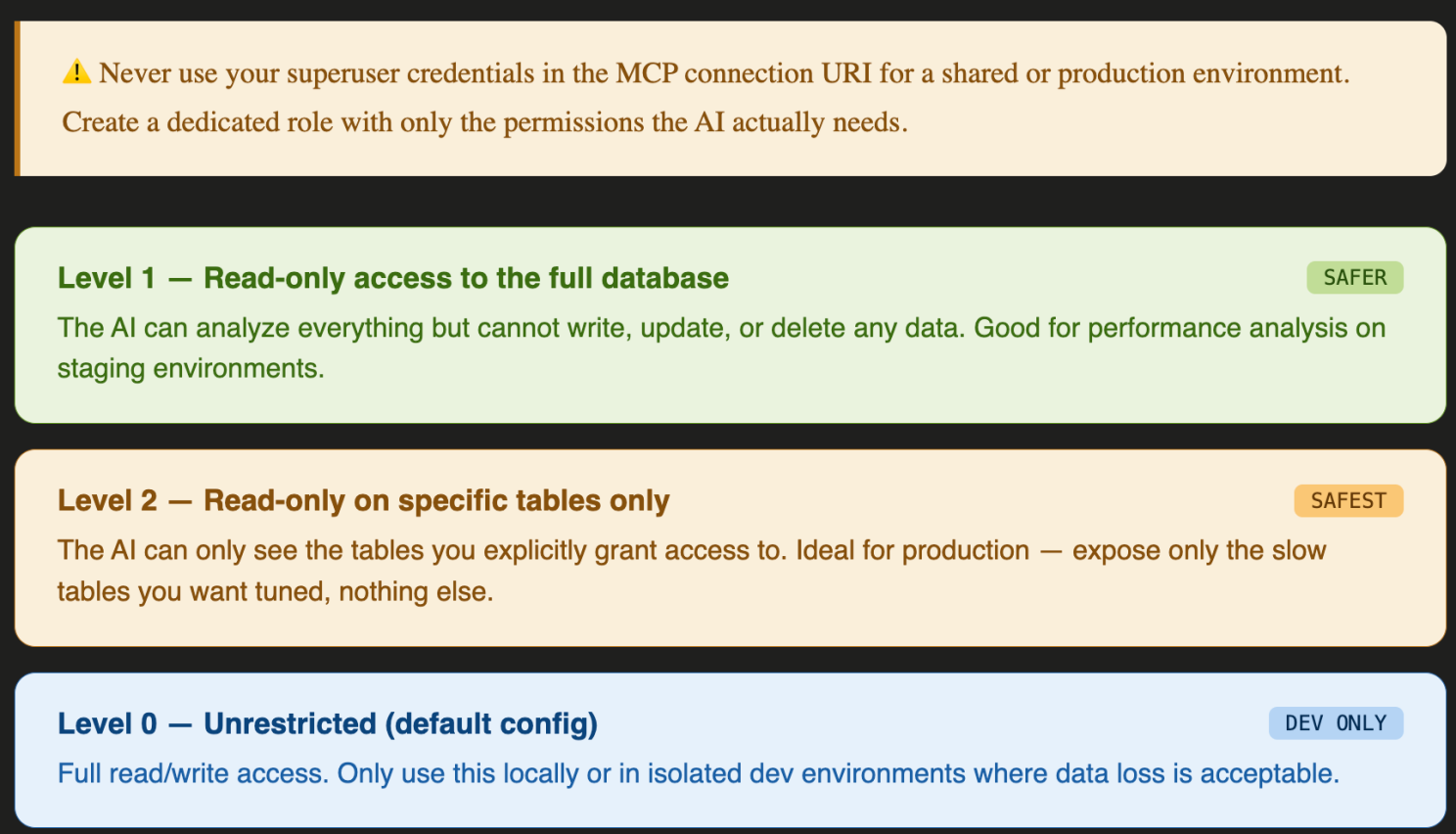
How to set it up in PostgreSQL
Create a dedicated role for the MCP agent and grant only what it needs:
-- Create a dedicated MCP agent role
CREATE ROLE mcp_agent WITH LOGIN PASSWORD 'strong_password';

-- Level 1: Read-only on the entire database
GRANT CONNECT ON DATABASE your_db TO mcp_agent;
GRANT USAGE ON SCHEMA public TO mcp_agent;
GRANT SELECT ON ALL TABLES IN SCHEMA public TO mcp_agent;

-- Level 2: Read-only on specific tables only
GRANT SELECT ON orders, products, users TO mcp_agent;
-- All other tables remain invisible to the AI agent
Then update your MCP connection URI to use this restricted role instead of your superuser. The AI agent will naturally work within the boundaries you've set, it can only analyze what it can see.
"DATABASE_URI": "postgresql://mcp_agent:strong_password@localhost:5434/your_db"
AI + MCP = a DBA that never sleeps, but still needs boundaries
This setup turns Cursor into an intelligent database assistant that can analyze, diagnose, and optimize PostgreSQL in real time. Pair it with proper privilege scoping and you get the best of both worlds: AI-powered insight without the production risk.
At Infraloka, we believe powerful technology should also be responsible technology. Democratizing access doesn't mean opening every doo, it means knowing which doors to open, and to whom.
Are you using MCP servers in your stack and how are you handling access control?
Drop a comment I'd love to hear how other engineers are securing AI agents connected to their infrastructure.
#PostgreSQL#MCP#AIEngineering#SRE#DatabasePerformance#Cursor#Infraloka#OpenSource#DatabaseSecurity